
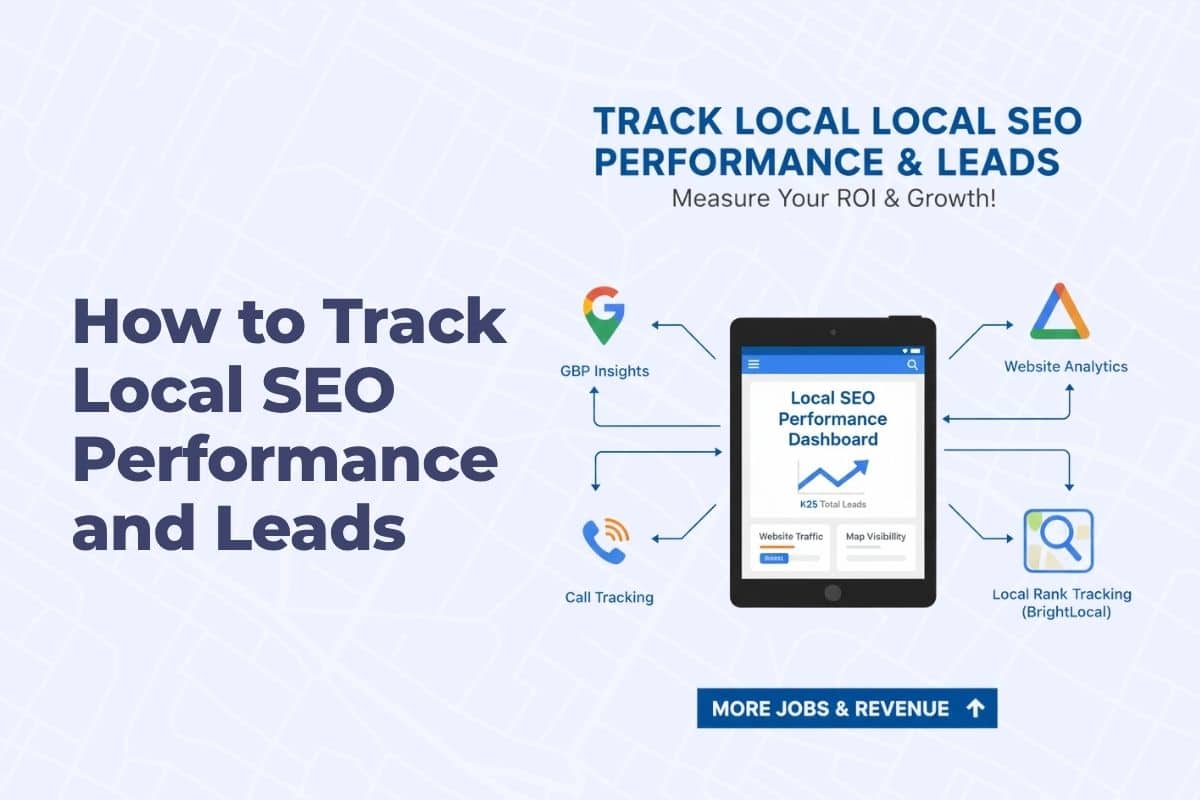
Getting visible in the Map Pack is only half the battle — the other half is knowing if it’s working. You’ll want to track local SEO performance and leads.
Most painters don’t have a clear way to tell if their Google rankings are improving, if leads are coming from their Google Business Profile (GBP), or what’s actually driving phone calls and quote requests.
Getting found online is a complex process, but it all leads back to boosting your visibility in local search. This guide details a key component of that strategy, but for a full, comprehensive plan, be sure to check out our complete resource: Google Map Pack Strategy for Painting Contractors
This guide walks you through exactly how to track local SEO performance and measure leads, using tools that give you real answers — not marketing fluff.
What You Should Be Tracking
(Local SEO Metrics That Matter)
Here’s what painters should monitor monthly:
- Map Pack rankings for top local keywords
- GBP Insights (calls, direction requests, website clicks)
- Website traffic from organic search
- Call volume and form fills by source
- Lead quality (booked jobs, not just clicks)
You don’t need to track everything — just the metrics that tie to revenue.
Tool #1: Google Business Profile Insights
This is your first stop for understanding what’s happening in your Map Pack listing.
How to Access It:
- Log into your profile via Google Business
- Click “Performance” in the top menu
Key Metrics to Monitor:
- Search Views: How often you appeared in search
- Calls: How many people tapped your number
- Direction Requests: Indicates local search intent
- Website Clicks: Traffic to your site from GBP
- Messages (if enabled): Direct GBP messages from clients
- Photo Views: See which project photos get attention
Set a reminder to check this monthly and track trends over time.
Tool #2: Google Analytics (GA4)
To measure website traffic from Google and see what visitors do once they arrive.
How to Set It Up:
- Go to analytics.google.com
- Create a GA4 property
- Install the tracking code on your website (or use GHL integration)
- Let it run for a few days to start gathering data
What to Watch:
- Users and sessions from organic traffic
- Top landing pages (Are your location pages showing up?)
- Goal completions (form fills, quote requests, etc.)
- Bounce rate and time on site
You can create custom events for leads if you use tools like GoHighLevel.
The painters who scale aren’t guessing — they know exactly what’s working. If you want this set up so you can see what actually turns into booked jobs, we build that here.
Tool #3: Call Tracking with CallRail or GHL
To track exactly where phone leads come from — including GBP, website, ads, or referrals.
How It Works:
- You set up a unique tracking number for each lead source
- When someone calls that number, it forwards to your real number
- The tool logs where the call came from and how they found you
Top Platforms:
- CallRail: Industry-standard, used by many agencies
- GoHighLevel (GHL): Includes call tracking built into workflows
- Twilio: More customizable, but advanced users only
What to Track:
- Calls from GBP vs. website
- Repeat callers vs. new leads
- Call recordings (helps qualify leads)
- Lead tags or campaign source
This lets you answer questions like:
“Are my Map Pack rankings actually generating phone calls?”
Tool #4: Keyword Rankings with Local Viking or BrightLocal
You don’t just want to know if you’re ranking — you want to know where and for what terms.
Use Tools Like:
- BrightLocal – simple dashboard for keyword tracking
- Local Viking – map grid ranking tool for GBP
- Semrush or Ahrefs – more advanced, broad tracking
What to Watch:
- Top 10 keywords you want to rank for
- How you rank in your city and nearby towns
- Movement over time — not just daily ups and downs
- Device type (mobile vs. desktop)
Track this monthly and look for upward trends in rankings AND leads.
Tool #5: Lead Source Tracking with GoHighLevel (GHL)
If you’re using GHL, here’s how to tie everything together:
- Set up a form or booking flow on your website or landing page
- Use UTM links for each campaign (e.g., GBP, email, LSA)
- Tag leads based on where they came from
- Build dashboards or reports inside GHL to view lead flow
- Score leads by booked appointments, jobs won, or revenue
This shows you not just how many leads you’re getting — but where to invest more.
Example Monthly Local SEO Tracking Sheet
Create a simple spreadsheet with:
| Metric | Source | This Month | Last Month | Change |
| Google Calls | GBP Insights | 42 | 37 | +5 |
| Website Clicks | GBP Insights | 80 | 63 | +17 |
| Organic Website Traffic | Google Analytics | 320 | 298 | +22 |
| Calls from Website | Call Tracking | 19 | 12 | +7 |
| Top Keyword: “Painter [City]” | BrightLocal | #3 | #5 | ↑ |
| Booked Jobs from GBP | GHL | 6 | 4 | +2 |
Review these monthly — then adjust strategy based on what’s working.
Don’t Just Track — Act on the Data
Once you know where your leads are coming from and which parts of your online presence are performing:
- Double down on what’s working (e.g., more GBP posts, update photos)
- Fix what’s underperforming (e.g., bounce rate on a landing page)
- Shift budget or effort toward channels generating booked jobs
Tracking without action is just data. Use it to drive smarter decisions.
Put Into Action
If you want to outrank other painters and consistently hold placement in the Google Map Pack, you have to track performance in a way that tells you what is actually converting — not just what is ranking. Data tells you which levers to scale and which to stop wasting time on. If you’d like to see how we set this up so painters can measure ROI accurately and track real booked jobs — this is where we do it for contractors: Painter Call Tracking & Reporting.