
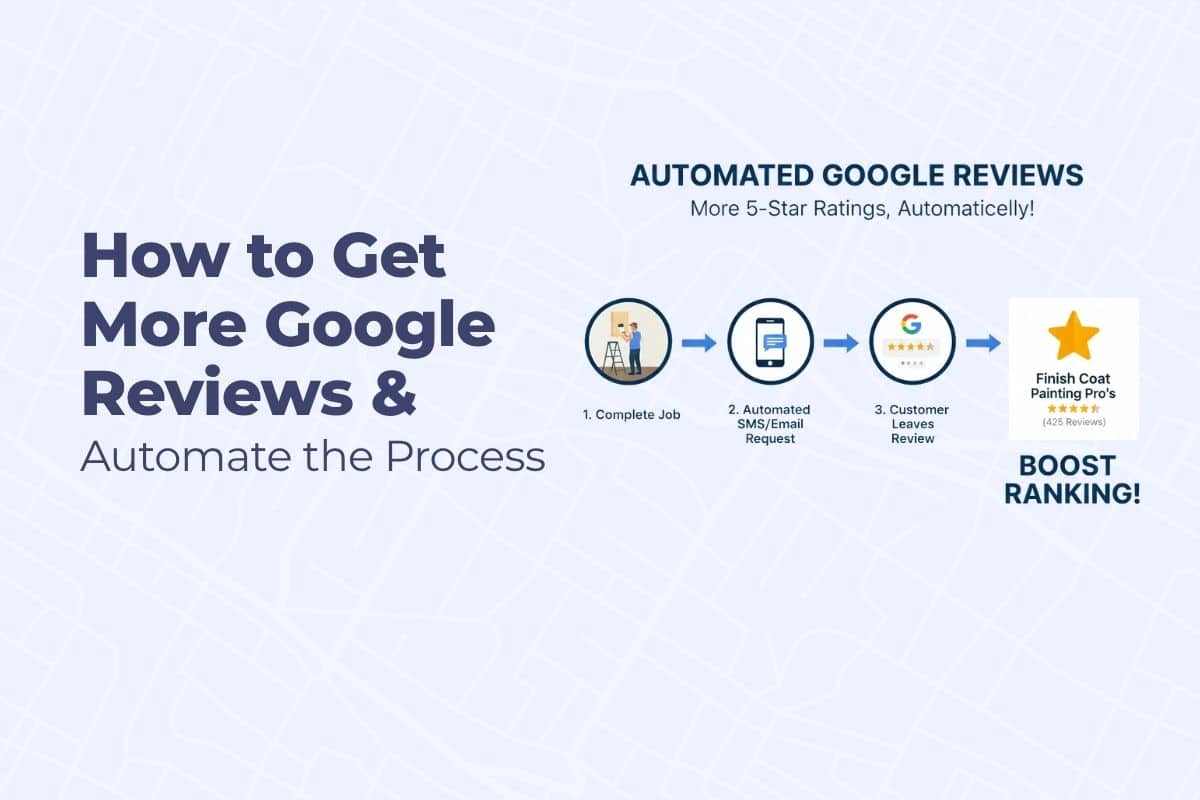
You may have heard people say, get more Google reviews. If you want to rank higher in the Map Pack, earn more trust online, and book more jobs, it is true, you need a steady stream of Google reviews.
But most painters struggle with this. You might forget to ask, feel awkward about it, or just not have a reliable process in place.
Getting found online is a complex process, but it all leads back to boosting your visibility in local search. This guide details a key component of that strategy, but for a full, comprehensive plan, be sure to check out our complete resource: Google Map Pack Strategy for Painting Contractors
This guide shows you how to get more Google reviews consistently — using both manual asking techniques and a proven automated follow-up system powered by tools like GoHighLevel (GHL).
Why Google Reviews Matter for Painters
Homeowners check Google reviews before they ever call you. And Google uses your review profile to help decide whether to show your business in the Map Pack.
Here’s what reviews impact:
- Local SEO rankings (Map Pack and organic)
- Trust and conversion rates on your Google Business Profile
- Click-through rates from search results
- Overall brand perception
In short: more high-quality, recent reviews = more leads.
Step 1: Ask for the Review the Right Way (Manual)
Even if you use automation, it still helps to personally ask for the review at the right moment.
When to Ask
- At the end of a job, while you’re wrapping up
- During the final walkthrough
- When the client is visibly happy with the results
- Within 24 hours of project completion (if not in person)
What to Say In Person
“Hey [Client’s Name], it was a pleasure working on your home. Would you be willing to leave us a quick Google review? It really helps other homeowners find a painter they can trust.”
Keep it casual and friendly — and mention that it’s quick and easy.
What to Send by Email or Text (Manually)
Subject: Thanks for the opportunity — quick favor?
“Hi [First Name],
We really enjoyed working on your project! If you were happy with the experience, would you mind leaving us a quick Google review?
Here’s the direct link: [insert your review link]
It only takes a minute and really helps small businesses like ours grow.”
Always include the direct Google review link (how-to below).
Painters who automate this win faster because reviews compound credibility on autopilot. If you want this system set up so it works even when you’re busy painting, you can get that here.
Step 2: Automate the Follow-Up (CRM System)
Manual requests help — but they’re easy to forget or skip. That’s why most successful painting businesses use a system to automate follow-up after each job.
How We Use A CRM To Handle Review Automation
Here’s a proven system used by painting companies running Finish Coat Digital’s automation stack inside GHL.
Trigger: Job or Appointment Completed on Calendar
When you mark a job “completed” or “fulfilled” in GHL (via your calendar or pipeline stage), it kicks off the automation sequence.
Step 1: Send a Check-In Message to you (SMS or Email)
Example (SMS or Email):
“Hi [First Name], just checking in — how did everything go with your project today?”
👍 Great
😐 It was okay
👎 Not great
This message uses response-based triggers. If they click “Great”…
Step 2: Review Request Sent Automatically
Once they click a positive response, the workflow sends a polite review request to the client:
Text version:
“Thanks again, [First Name]! If you’d be willing to leave us a quick Google review, it would really mean a lot.
Here’s the link: [Insert Google review link]”
Email version:
“Thanks again for letting us work on your project. If you have 30 seconds, we’d love it if you could leave us a quick Google review.
[Review Button or Link]”You can configure it to send via email, text, or both, depending on the client’s preferred contact method.
Step 3: Follow-Up Reminder (If No Review)
If no review comes in after 3 days:
- Send one polite reminder
- Optionally personalize it (“Just wanted to circle back…”)
- Include the review link again
- Don’t send more than 2 follow-ups
This automation sequence keeps your team focused on jobs — not chasing reviews.
Step 3: How to Get Your Google Review Link
Here’s how to find your review link and use it in your automation:
- Log in to your Google Business Profile Manager
- Click “Ask for Reviews” on the main dashboard
- Copy the short URL provided
- Paste it in your messages, email templates, and automations
Example format:
https://g.page/r/CdZ3Ex12345/review
Use a link shortener (like Bitly) if you want a cleaner link in SMS.
Step 4: Customize Your Review System Once — Then Let It Run
If you’re using a CRM that utilizes triggers, you can create a “set-it-and-forget-it” automation that works every time a job is finished.
Here’s a simplified GHL workflow structure:
- Trigger: Appointment or pipeline stage is marked “complete”
- Wait 1–2 hours
- Send check-in message asking how the experience was
- If positive reply, send review request
- Wait 3 days
- If no review, send reminder
You can use tags to track who responded, who left a review, and who didn’t.
Step 5: Tools for Painters Who Aren’t Using A CRM
If you don’t use GoHighLevel, there are still excellent review automation tools available:
Top Alternatives:
- NiceJob: Integrates with CRMs and sends follow-up messages
- Broadly: Combines review requests with lead response tools
- Grade.us: Customizable review funnels
- Podium: SMS-based review requests and web chat tools
- Birdeye: Great for large or multi-location companies
Choose a tool that works with your CRM or scheduling software, and make sure it allows:
- Email and SMS
- Workflow logic (based on client satisfaction)
- Easy review link sharing
Step 6: Best Practices to Get More Reviews
- Train your crew to mention reviews at the end of every job
- Make it part of your process — not an afterthought
- Use your actual business name in the review link so clients recognize it
- Display reviews on your site (more on that below)
- Reply to every review, even the short ones
How to Display Reviews on Your Website
Adding Google reviews to your website helps with SEO and builds trust.
How to Do It:
- Use GHL widgets to pull in reviews automatically
- Use NiceJob, Broadly, or Grade.us to embed rotating reviews
- Include your top 2–3 reviews on:
- Homepage
- Service pages
- Location-specific pages
If you want to outrank other painters locally and consistently show up in the Google Map Pack, review velocity + review automation are two of the strongest ranking multipliers in the entire local SEO ecosystem. The painters who automate this win faster because Google trusts businesses that continually earn fresh proof. If you’d like to see how this works for painters and have it implemented correctly, this is where we build it for contractors: Painter Review Boosting & Automation.