
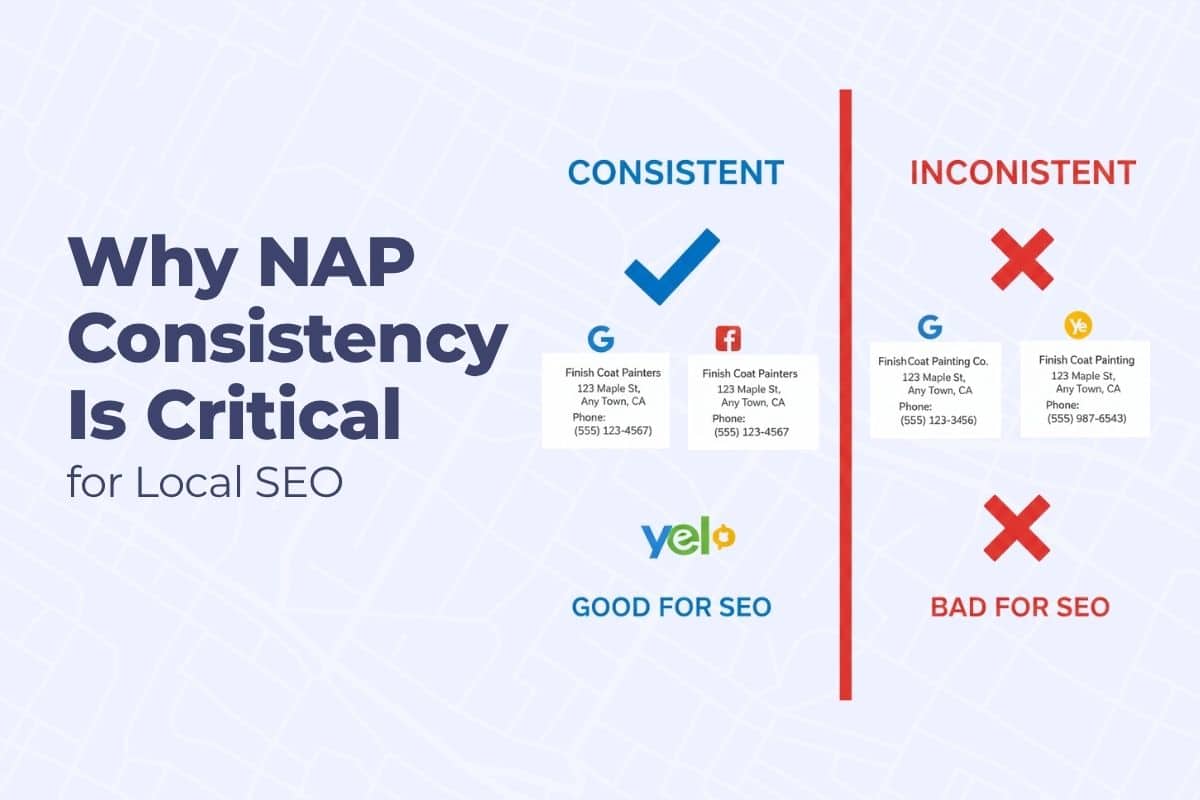
If your painting company’s name, address, or phone number appears differently across the internet, you’re sending confusing signals to Google — and it could be killing your Map Pack rankings. This is why NAP consistency for Local SEO is so important.
This issue, called NAP inconsistency (short for Name, Address, Phone), is one of the most overlooked problems in local SEO. Even a small mismatch — like “St.” vs “Street” — can cost you leads.
Getting found online is a complex process, but it all leads back to boosting your visibility in local search. This guide details a key component of that strategy, but for a full, comprehensive plan, be sure to check out our complete resource: Google Map Pack Strategy for Painting Contractors
In this guide, we’ll explain what NAP consistency is, why it matters for painting contractors, and how to fix it across your website and online directories so you can rank higher and earn more trust from both Google and homeowners.
What Is NAP Consistency?
NAP stands for:
- Name – Your business name (exact spelling and format)
- Address – Your business location or service area
- Phone – Your primary local number (not a call center or 800 number)
NAP consistency means that this information is identical across all online platforms: your website, Google Business Profile, Yelp, Facebook, Angi, BBB, and dozens of other directories.
Why It Matters for Local SEO
Google uses NAP details to verify that your business is legitimate and located where you say it is. When your information is consistent across multiple trusted sites, it boosts your credibility and ranking potential.
Inconsistent NAP = Confused Google
If Google finds:
- Different spellings of your business name
- Old addresses on third-party sites
- Wrong phone numbers in directories
…it can cause ranking drops or prevent your profile from showing up at all.
Example:
Let’s say your Google Business Profile lists your address as:
123 Main Street, Suite 2
Louisville, KY 40201
…but Yelp shows:
123 Main St #2
Louisville, Kentucky 40201
…and your website says:
123 Main Street
Louisville, KY 40202
To a human, these might look similar. To Google, they’re mismatched — and your authority score drops.
Real-World Impact for Painters
For local service businesses like painters, NAP inconsistency directly affects:
- Google Map Pack rankings
- Local trust signals
- Review aggregation across platforms
- Call tracking accuracy
- Job leads from directories
If Google isn’t confident you’re legitimate and local, it won’t show you to people searching for “house painters near me.”
Most painters think Google only cares about keywords — but consistency across the entire web is what drives trust. If you want this set up and cleaned the right way, we handle that here.
How NAP Problems Happen (Even If You Didn’t Create Them)
You might be surprised how many old or incorrect listings are out there — even if you never made them.
Common causes:
- A previous agency or employee used different info
- You moved locations and didn’t update every site
- Slight differences in formatting (Street vs St., Suite vs Ste.)
- Auto-generated listings from data aggregators like Infogroup or Acxiom
- Old phone numbers are tied to old marketing campaigns
Fixing these issues builds trust and boosts your local SEO.
Step-by-Step: How to Audit and Fix NAP Inconsistencies
Step 1: Identify All Active Listings
You’ll need to find every place your business is listed online.
Start with:
- Google Business Profile
- Yelp
- Angi (Angie’s List)
- BBB
- Houzz
- HomeAdvisor
- YellowPages
- Bing Places
- Apple Maps
Also check:
- Chamber of Commerce listings
- Local painter directories
- Any old microsites or landing pages you’ve used
Step 2: Create a Master NAP Format
Before you fix anything, decide on the one official version of your NAP.
Use this standard for all sites:
- Business Name: Exactly as registered — no extra keywords
- Address: Match your GBP format exactly (including Suite or Unit)
- Phone Number: Use a consistent, local number (not call tracking lines for directories)
Example Standard:
Precision Painting Co.
1023 Ridgeview Drive, Suite B
Lexington, KY 40509
(859) 555-1212
Step 3: Manually Update the Big Sites
Claim and update your listing on major platforms first:
- Google Business Profile: Edit directly
- Facebook: Business page → “About” → Edit address/phone
- Yelp: Claim or edit listing via business.yelp.com
- Bing Places: Claim listing → update manually
- BBB: Contact them to update (if not editable)
Make sure your business name, address, and phone number exactly match your master format.
Step 4: Use Citation Management Tools
After the major listings are handled, use a tool to clean up the long tail of smaller sites.
Tools to try:
- BrightLocal – Offers citation audit + cleanup service
- Whitespark – Known for manual, accurate citation building
- Moz Local – Good for ongoing directory management
- Yext – Instant updates to many platforms (but pricey and recurring)
Most services offer:
- A current citation scan
- Cleanup and correction
- Ongoing monitoring to prevent future issues
Important: Some use data aggregators to push correct info across networks — a good move for wide cleanup.
Step 5: Update Your Website Footer and Contact Page
Your own website must match your GBP exactly.
Check:
- Footer address (on every page)
- Contact page details
- Embedded map pins (match the correct address)
- Schema markup (more on this below)
Step 6: Add Local Business Schema to Your Site
Schema is structured code that helps Google understand your NAP info on your site.
Use LocalBusiness Schema with:
- @type: PaintingContractor
- name: Your business name
- address: Full postal address
- telephone: Local phone number
- url: Your website
If you use Rank Math, you can set this in the “Local SEO” settings tab.
Step 7: Use Consistent NAP in All Marketing
Every time you:
- Launch a new ad campaign
- Create a landing page
- Order new yard signs or flyers
- Sponsor a local event with a backlink
Make sure your NAP format is consistent.
This prevents new issues from creeping back in over time.
What to Do If You Have Moved Locations
If your painting business relocated, your old NAP is likely still floating around the web.
Steps:
- Update your GBP immediately — and reverify if needed
- Update your address on all top directories
- Use citation tools to find and suppress the old address
- Add a note or redirect on your website if needed
- Don’t create a new GBP listing — always update the original
Google penalizes businesses that try to “start over” with a fresh listing.
How Often Should You Audit NAP?
Do a full NAP audit:
- Once per year, minimum
- Anytime you rebrand or move
- After hiring a new marketing agency
And keep a master spreadsheet with your current listings, logins, and NAP format to make future updates easier.
If you want to outrank other painters locally and stay visible in the Google Map Pack, consistency in your NAP across the web is non-negotiable. This is one of the strongest local trust signals Google uses to decide who shows up — and who disappears. If you’d like to see how to build this out correctly the first time, this is where we help painting companies lock this down: Painter Directory Listings.